Free MJML Editor & Email Builder
Drag-and-drop responsive emails with a live preview, edit the MJML head styles directly, and export bulletproof HTML that renders cleanly in Outlook, Gmail, Apple Mail and every modern client. No signup, runs entirely in your browser.
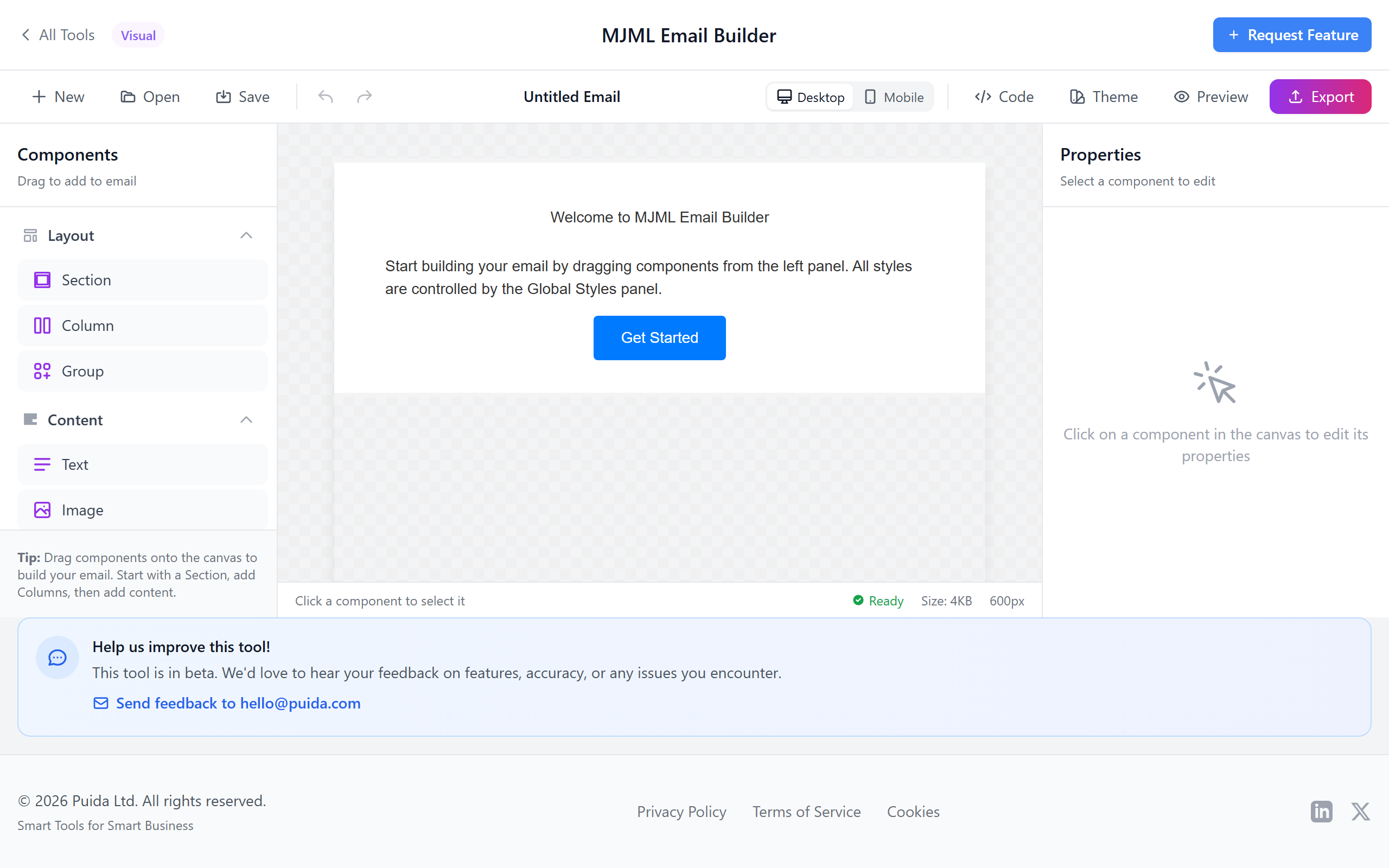
A Real MJML Editor — Drag, Preview, Export
Drag-and-Drop MJML Blocks
Sections, columns, text, buttons, images, dividers, spacers, social, hero, navbar, accordion — every MJML component with strict, email-safe nesting rules so you cannot build an invalid email.
Desktop + Mobile Preview
Live preview at 600 px desktop and 320 px mobile, so you can sanity-check stacking and tap targets before you hit export.
Global Styles (mj-attributes)
Set typography, button radius, link colours and section padding once in the head — every block inherits them so your email stays consistent.
Export Bulletproof HTML or MJML
Compile to send-ready, minified HTML with Outlook conditional comments and bulletproof buttons. Or grab the clean MJML source / JSON tree for a developer handoff.
Pre-flight Checks
Warnings for Gmail clipping (102 KB), missing alt text, placeholder links and oversized images — before you send and embarrass yourself.
Local-First & Private
Templates and assets save to your browser (IndexedDB). No account, no upload, no analytics. Works offline after the first load.
Built for Real Email Workflows
Visual MJML Editor With Strict Nesting
Compose email-safe layouts by adding sections and columns, then dropping in text, buttons, images, spacers, dividers, navbars, social blocks, heroes and accordions. The editor enforces MJML's nesting rules so you cannot build a layout that compiles to broken HTML.
- Component library with all standard MJML 4 components
- Strict parent/child rules (mj-section → mj-column → content)
- Per-node properties panel: padding, alignment, colour, font, link
- Undo / redo for safe iteration
- Save templates locally and reuse across projects
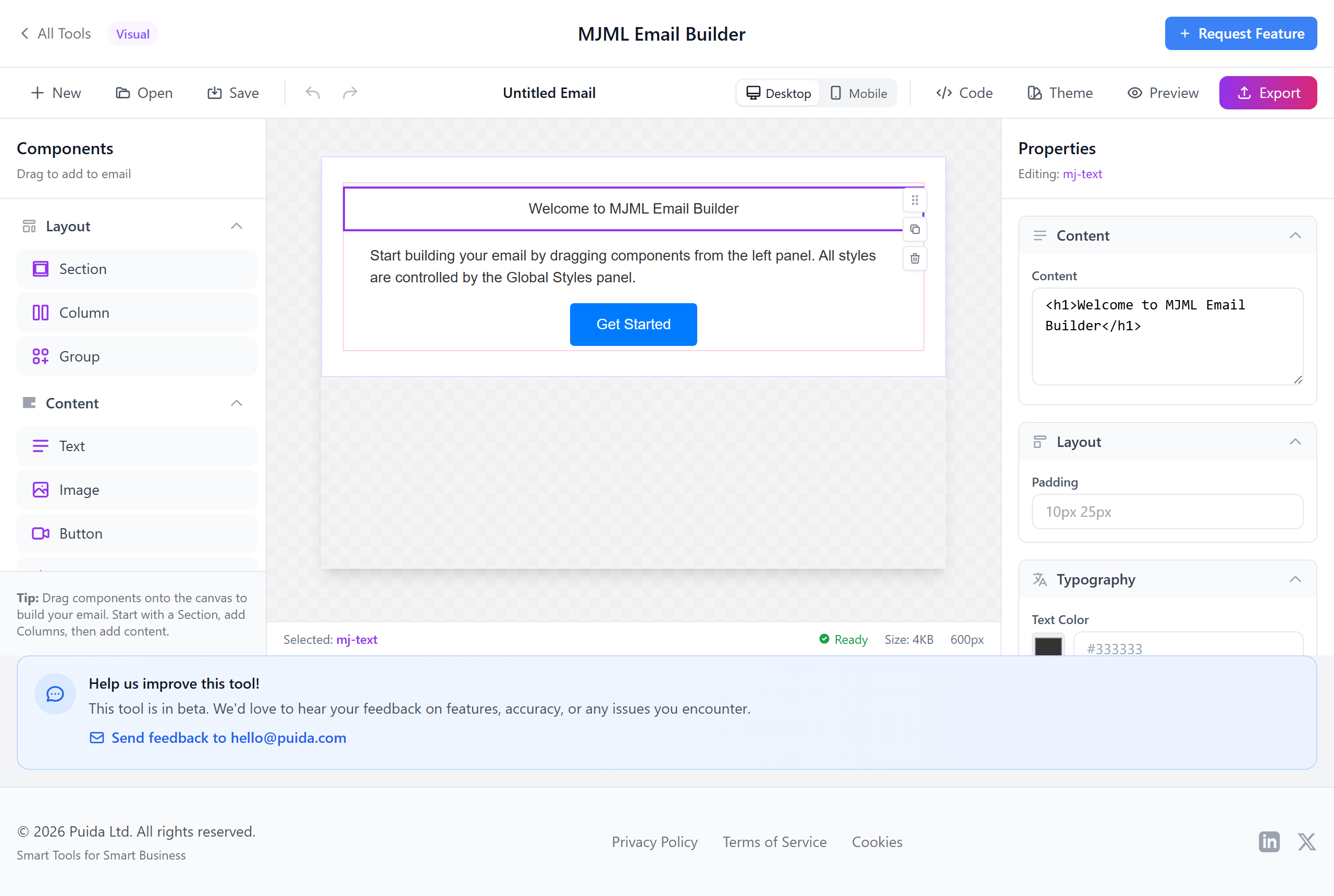
Global Styles, Preview Text & Custom CSS
Set typography, button defaults, link colours and section padding once in <mj-attributes> — every component inherits them. Set the inbox preview text, drop in custom <mj-style> CSS for advanced cases, and pick your target ESP (Mailchimp, Klaviyo, Sendgrid, Hubspot, Brevo, Campaign Monitor, MailerLite) so merge-tag syntax matches.
- Global font, size, line-height, colour for all text
- Button defaults: radius, colour, font, padding
- Custom CSS in mj-style for advanced effects
- Inbox preview-text snippet
- ESP-aware merge tag syntax
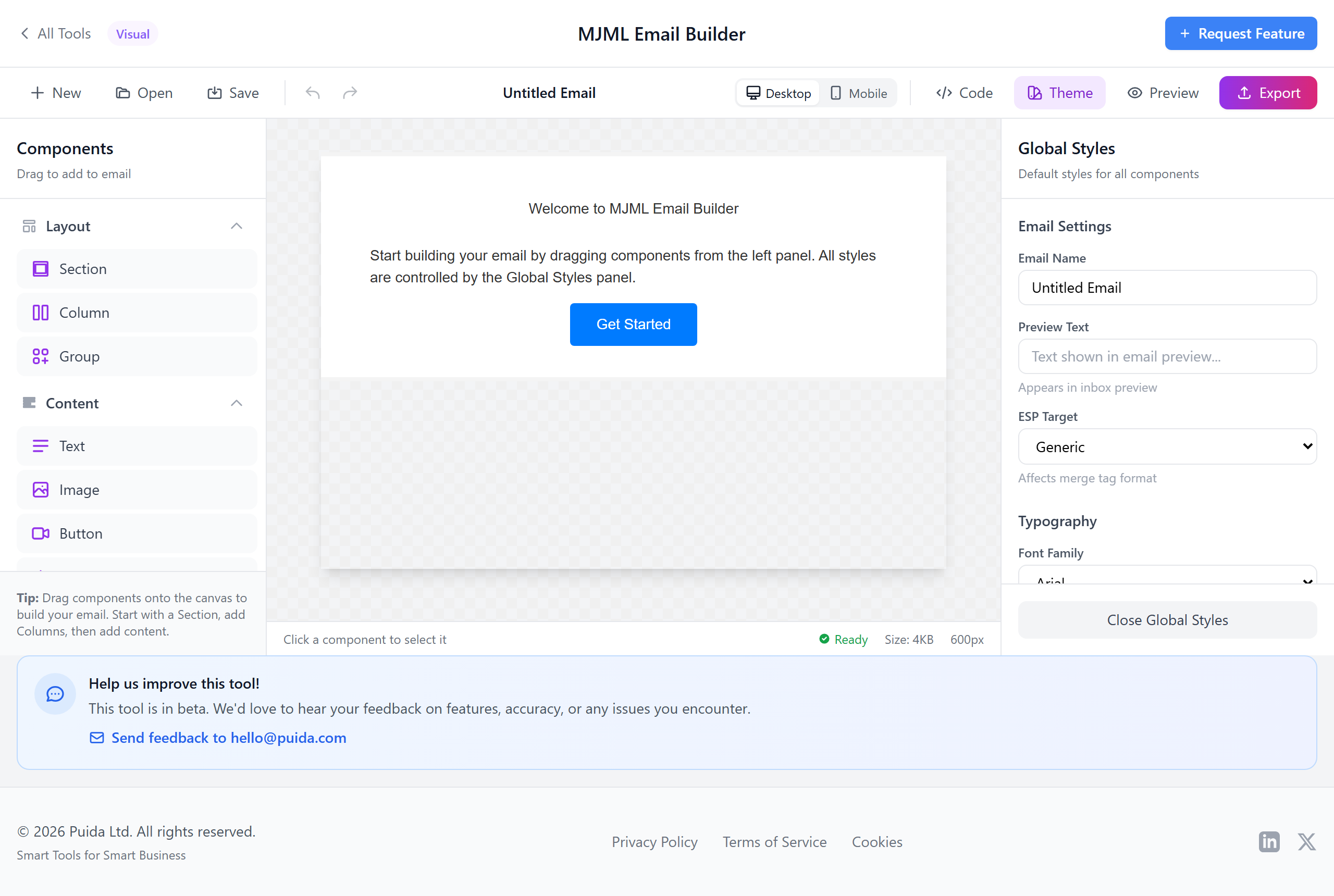
Bulletproof HTML Export With Pre-flight Checks
Export send-ready HTML (optionally minified) with Outlook conditional comments, VML buttons and table-based fallbacks intact — the same bulletproof output MJML is famous for. Pre-flight checks warn about Gmail 102 KB clipping, missing alt text and placeholder links before you ship.
- Bulletproof, table-based HTML for Outlook 2007–2019 + 365
- VML-backed bulletproof buttons
- Minified output, Outlook conditional comments preserved
- Gmail 102 KB clipping warning
- Alt-text + placeholder-link warnings
- Export as HTML, MJML source, or JSON tree
MJML Editor FAQ
<mj-button>, it ships ~50 lines of bulletproof HTML.• Mailchimp:
*|FNAME|*, *|EMAIL|*• Klaviyo:
{{ first_name }}, {{ email }}• Sendgrid:
{{first_name}}• Hubspot:
{{ contact.firstname }}• Brevo (Sendinblue):
{{ params.FNAME }}• Campaign Monitor:
[firstname,fallback=]• MailerLite:
{$name}Drop them straight into text blocks, buttons, links — they pass through untouched on export.
mj-section, mj-column, mj-text, mj-button, mj-image, mj-divider, mj-spacer, mj-social + mj-social-element, mj-hero, mj-navbar, mj-accordion, mj-table, mj-raw, mj-carousel, mj-wrapper, mj-group. Head: mj-attributes, mj-style, mj-font, mj-preview, mj-title.<mj-button border-radius="6px"> once; the compiler handles the gnarly Outlook side.Build Emails That Render Everywhere
Free MJML editor with bulletproof HTML export. No signup, no subscription, runs in your browser.
Open the Editor