Free Loot Table Generator & Drop Rate Calculator
Design weighted loot tables and gacha banners, add soft/hard pity, then run Monte Carlo simulations to see percentile outcomes and dry streaks before your players do. Export JSON, CSV and engine code for Unity, Godot, Lua and Minecraft — free, no signup.
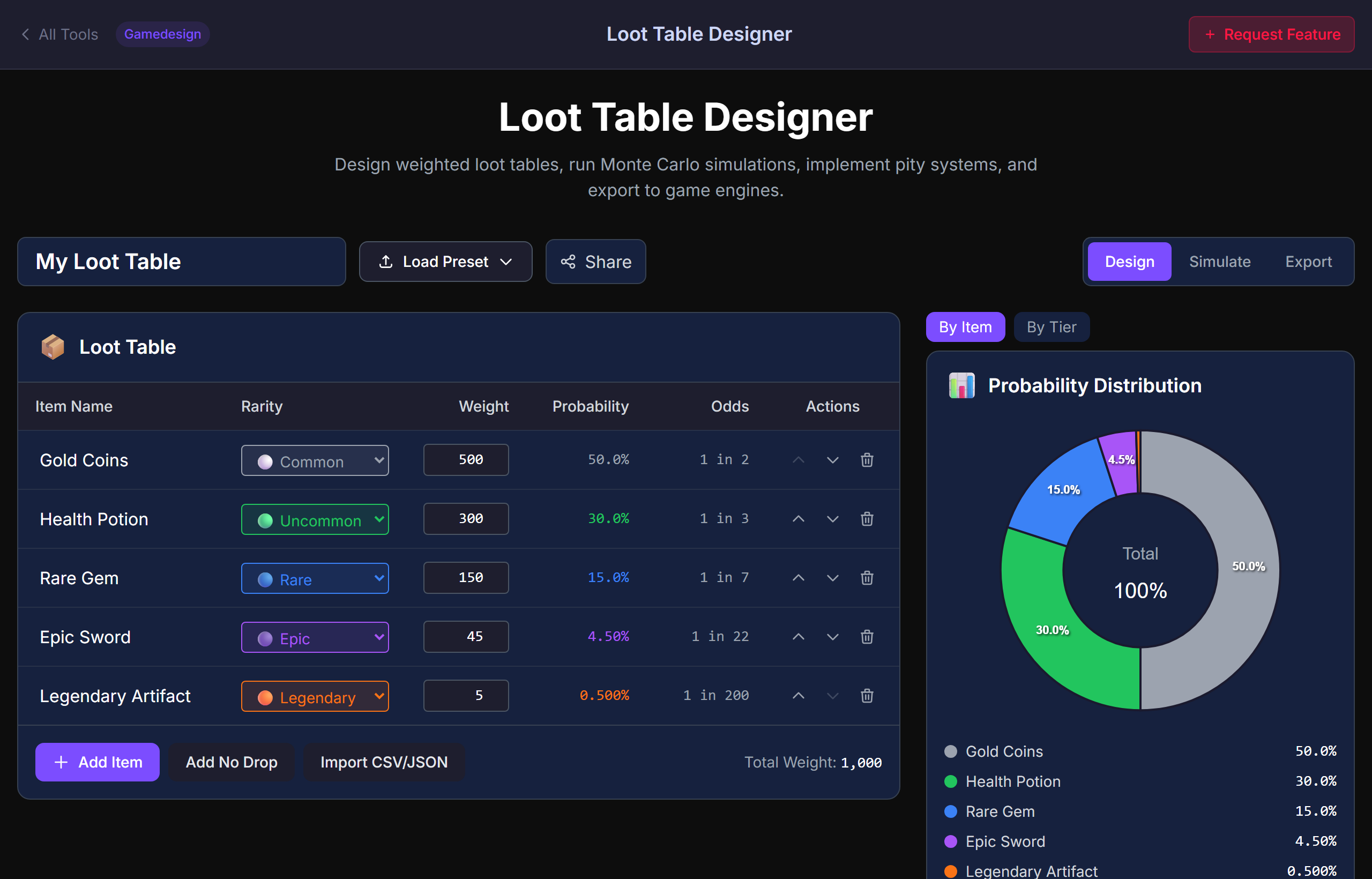
Design the Odds. Simulate the Reality.
Player-Experienced RNG
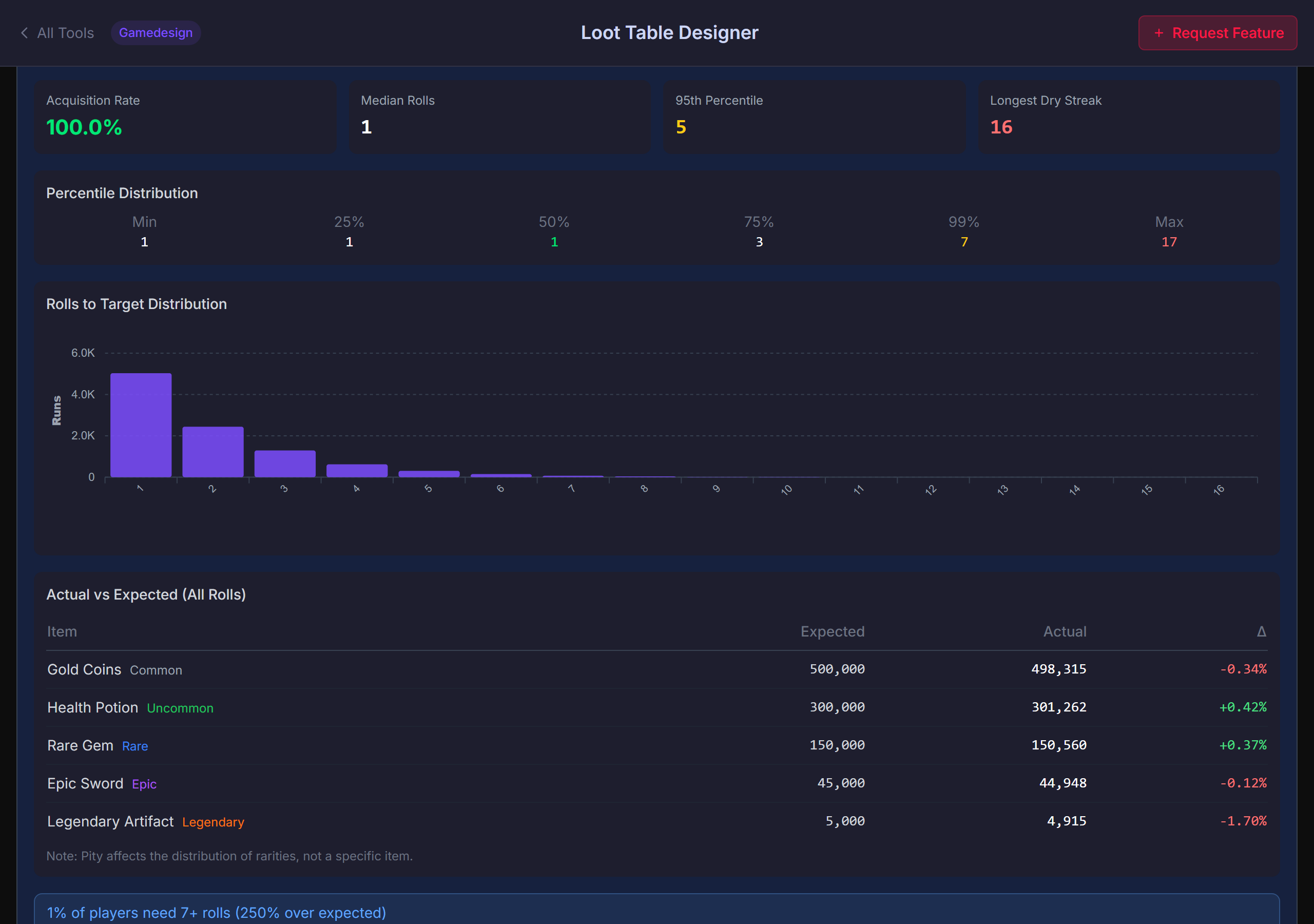
Monte Carlo shows the median, 95th and 99th percentile rolls — and the dry streaks. The "average" lies; the percentiles tell the truth.
Soft + Hard Pity
Model soft pity (ramping odds after N misses) and hard pity (guaranteed at M misses), in the style of Genshin Impact, Honkai: Star Rail and other gacha games.
Probability Chart + Tier View
Per-item and per-tier breakdowns with "1 in X" odds, weighted percentages and rarity colours so the table reads at a glance.
Export to Any Engine
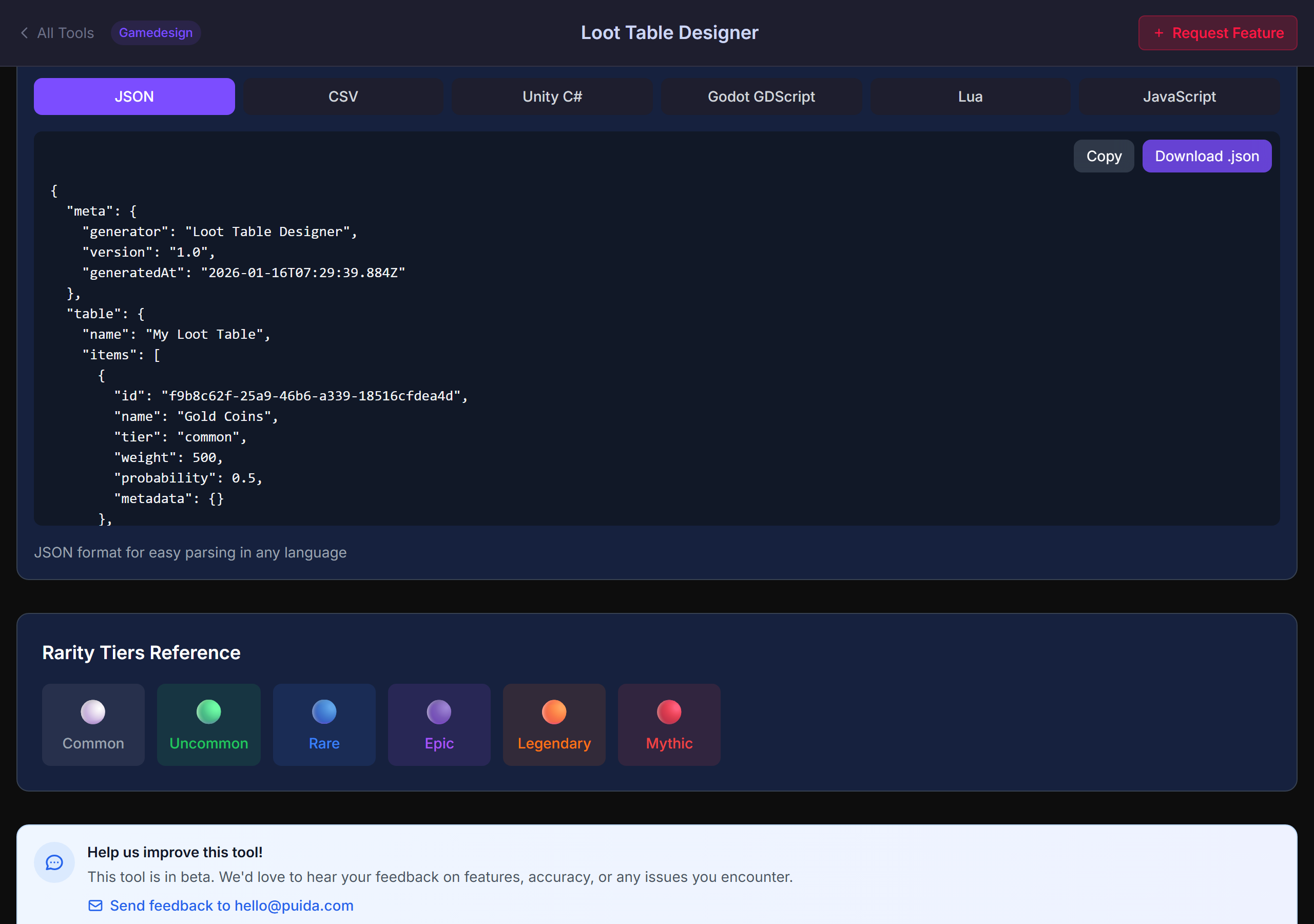
JSON, CSV, Unity (C#), Godot (GDScript), Lua, JavaScript, Minecraft 1.21 loot table JSON. Copy or download.
Fast Setup
Start from presets (gacha banner, RPG dungeon, Minecraft fortress, roguelike room) or bulk-import a CSV/JSON of items and weights.
Shareable Configs
Click Share — URL encodes every entry, weight, tier and pity setting so design and engineering stay aligned.
A Real Loot Table Tool
Weighted Table Builder With Rarity Tiers
Edit items, weights, tiers and rarities in one editor. Per-item probability and "1 in X" odds update live. Add an explicit "No Drop" outcome when you need empty rolls. Bulk-import CSV / JSON to skip the boring data entry.
- Per-item probability + "1 in X" odds
- Rarity tiers with colour coding (common, rare, epic, legendary, …)
- Per-item / per-tier view toggle
- Explicit "No Drop" entry
- CSV / JSON bulk import
Monte Carlo Simulation — Percentiles, Not Averages
Simulate thousands of rolls (or players) to see how many it takes to get a target item: median, 95th, 99th percentile, and the unlucky tail. A histogram of rolls-to-target shows the actual distribution — so you can spot the 1 % of players who go 100+ rolls without their item.
- Median / 95th / 99th percentile rolls-to-target
- Histogram of distribution + dry-streak tail
- Actual vs expected counts per item
- Tune soft pity ramp and hard pity cap with live feedback
Export to JSON, Unity, Godot, Lua, Minecraft
Copy-paste templates so implementation matches design intent. Includes weights, tiers, pity logic and an example weighted-random function in each language. Minecraft export targets the 1.21 loot table JSON schema.
- JSON + CSV for any engine
- Unity C# with weighted-random helper
- Godot 4 GDScript Dictionary loot tables
- Lua + JavaScript snippets
- Minecraft 1.21 loot table JSON
Loot Table FAQ
Genshin Impact 5-star pity: soft pity around pull 74, hard pity at 90. Honkai: Star Rail uses the same shape. In this tool you set soft pity threshold + ramp curve and the hard pity cap, and the Monte Carlo simulation shows how it affects the percentile outcomes.
data/<namespace>/loot_tables/ in your datapack. For mobs, use entities/<entity>.json; for chests, use chests/<chest>.json. The tool emits weighted entries with the standard minecraft:item entry type.• Gacha banners — multi-rarity tables with soft + hard pity
• RPG dungeon / boss drops — fixed-table drops with per-tier roll counts
• Roguelike rooms — per-floor item pools with tiered rarity
• MMO loot — primary + secondary rolls, "no drop" outcomes
The generator handles them all from the same base table.
Tune Drop Rates With Real Numbers
Free. Monte Carlo simulation. Unity / Godot / Lua / Minecraft export. No signup.
Open the Generator