Free XP Curve Generator & Level Progression Calculator
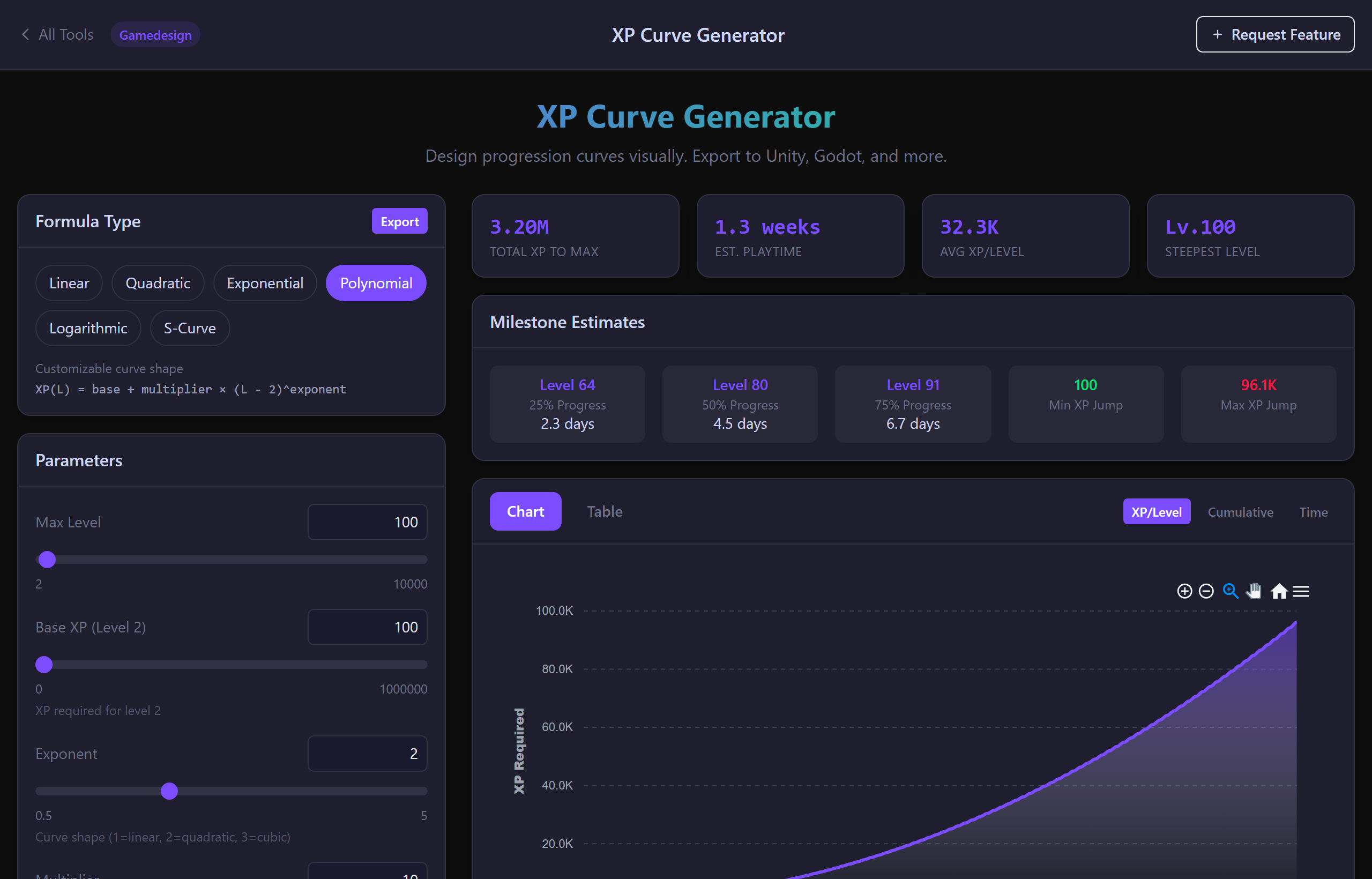
Pick a formula — linear, quadratic, exponential, polynomial, log or S-curve — tune the parameters, and watch XP per level, cumulative XP and time-to-max update live. Compare two curves side by side and export tables for Unity, Godot, Unreal, Lua, CSV or JSON.
Design Progression by Feel, Export Tables by Math
Live Chart, Three Views
Switch between XP per level, cumulative XP and cumulative hours instantly. Spot grind spikes before players do.
Time-to-Level Estimates
Convert XP tables into real playtime from XP-per-minute and session-length settings — instantly see "how many hours to level 50".
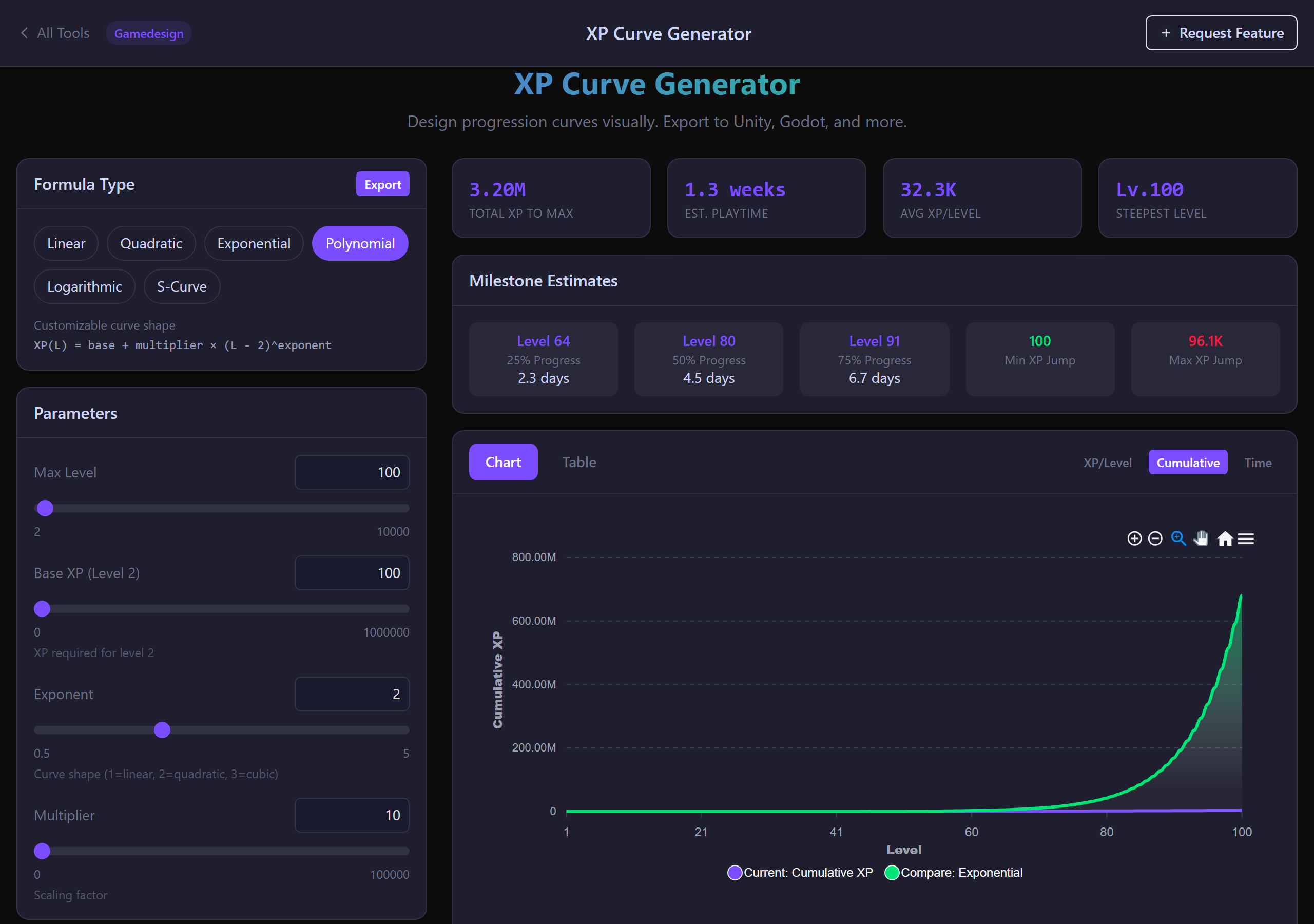
Compare Two Curves
Overlay a second curve with its own formula to A/B pacing decisions — exponential vs polynomial, snappy early game vs grind-heavy endgame.
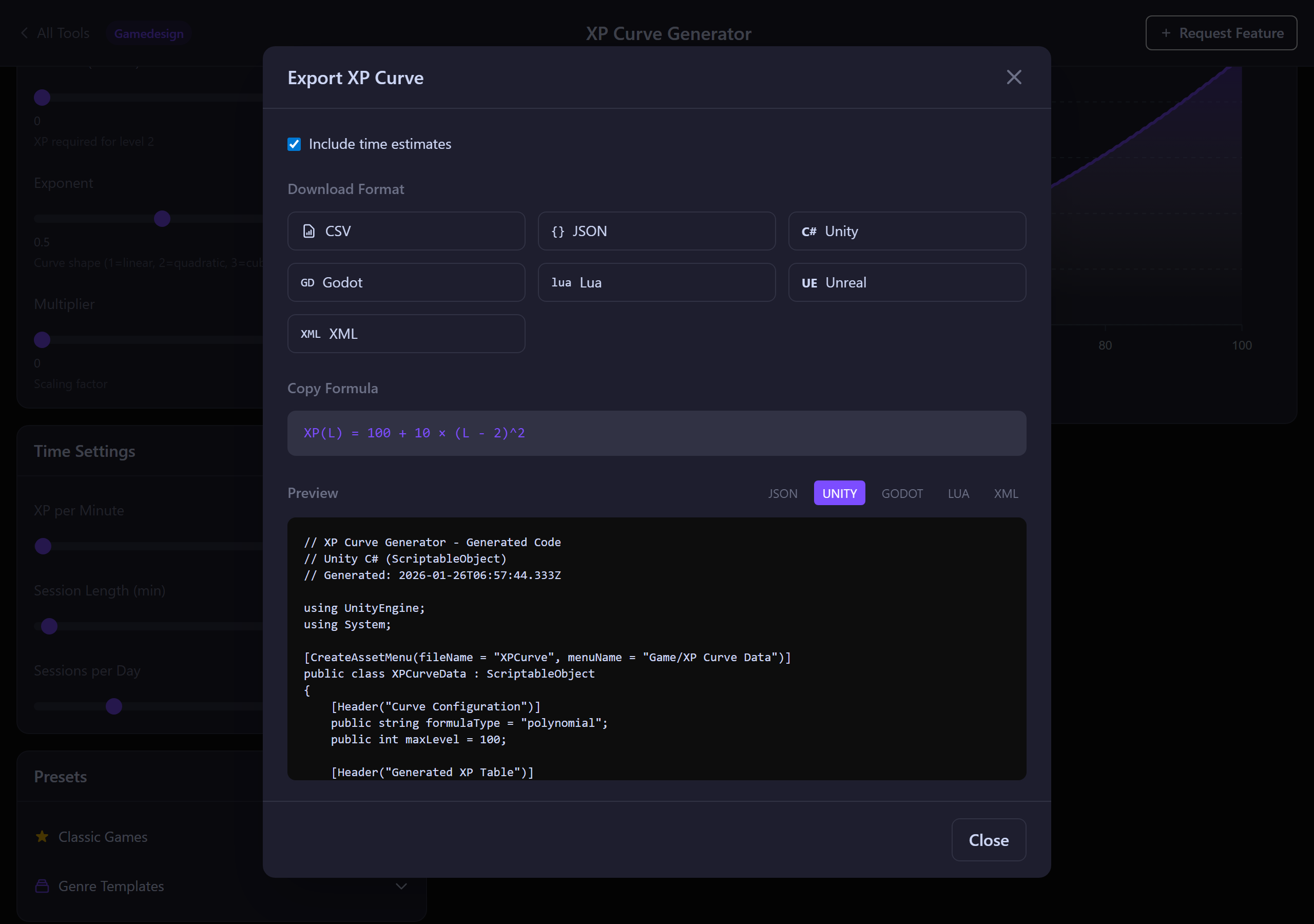
Engine-Ready Exports
CSV, JSON, Unity C# constants, Godot GDScript arrays, Unreal DataTable CSV, Lua tables, XML. Copy or download.
Genre Presets
Start from RPG, MMO, idle, mobile or roguelike progression presets — based on real shipped games — and tune from there.
Shareable Configs
Click Share — URL encodes formula, parameters, time settings and comparison state so design reviews stay reproducible.
A Real XP Curve Tool
Six Formula Families
Pick the math that matches your game's feel: linear (subscription MMO), quadratic (classic RPG), exponential (Pokémon Fast/Slow), polynomial (Disgaea-style endgame), log (idle), S-curve (snappy mid-game). Every parameter is exposed.
- Linear: XP(L) = a × L + b
- Quadratic: XP(L) = a × L² + b × L + c
- Exponential: XP(L) = a × b^L
- Polynomial: XP(L) = a × L^n
- Log: XP(L) = a × ln(L + 1)
- S-curve (logistic): XP(L) with growth + midpoint
Compare Two Curves
Enable comparison mode and overlay a second curve with independent parameters. Decide between growth models without rebuilding spreadsheets.
- Any second formula type
- Independent parameters
- Same max level for fair overlays
- Milestone comparison (25 % / 50 % / 75 % / max)
Exports for Prototype and Production
Generate ready-to-paste data so the implementation matches the design. Tables include level, XP-for-this-level, cumulative XP and (optional) estimated time fields.
- CSV + JSON (with optional time fields)
- Unity C# constants
- Godot GDScript array / dictionary
- Unreal DataTable CSV
- Lua table
- XML for older engines
XP Curve FAQ
• Linear (XP = a × L) — flat pacing, common in subscription MMOs to avoid alts grinding forever.
• Quadratic (XP = a × L²) — classic RPG; every level takes a bit more than the last. Final Fantasy / Dragon Quest style.
• Exponential (XP = a × b^L) — late-game wall. Pokémon "Slow" group is roughly this.
• Polynomial (XP = a × L^n with n = 2.5–3) — Disgaea-style endgame grind.
• Log — idle games where early levels are slow then taper.
• S-curve — fast early progression, slow mid-game wall, fast endgame again.
Most engines store the per-level value (you check "did the player just hit the threshold?"). Some store cumulative and back-out the level from total XP. The tool exports both so you can pick.
For an MMO, 100–200 XP/min and 50 max levels at quadratic pacing is roughly 30–80 hours. The tool shows the exact number for whatever curve you build.
• Unity: C# class with
public static readonly int[] XP_TABLE• Godot 4: GDScript const array / dictionary
• Unreal: DataTable CSV ready to import as a
UDataTable• Generic: CSV + JSON + Lua + XML
All include level, XP-for-this-level and cumulative XP. Optional time fields if you have set XP-per-minute.
1. Linear or shallow polynomial (n ≤ 2.5) past level ~30 — keeps levels feeling rewarding without exponential blow-up.
2. S-curve or compound curves — use exponential early, switch to linear past the mid-game threshold. Build the first half with one formula and the second half with the other; export the combined table.
In comparison mode you can overlay the two and see exactly where the curves diverge.
Tune Your Progression Curve in Minutes
Free. Six formulas. Unity / Godot / Unreal / Lua export. No signup.
Open the Generator