Free Tool

Free Plywood Cut List Calculator

Stop wasting sheet goods. Enter your parts list, pick a sheet size, and get a guillotine-safe layout that respects kerf, grain direction, edge banding and trim allowance β€” in your browser, no signup, no monthly fee. Works for plywood, MDF, melamine, particleboard, dimensional lumber and CNC router / laser nesting.
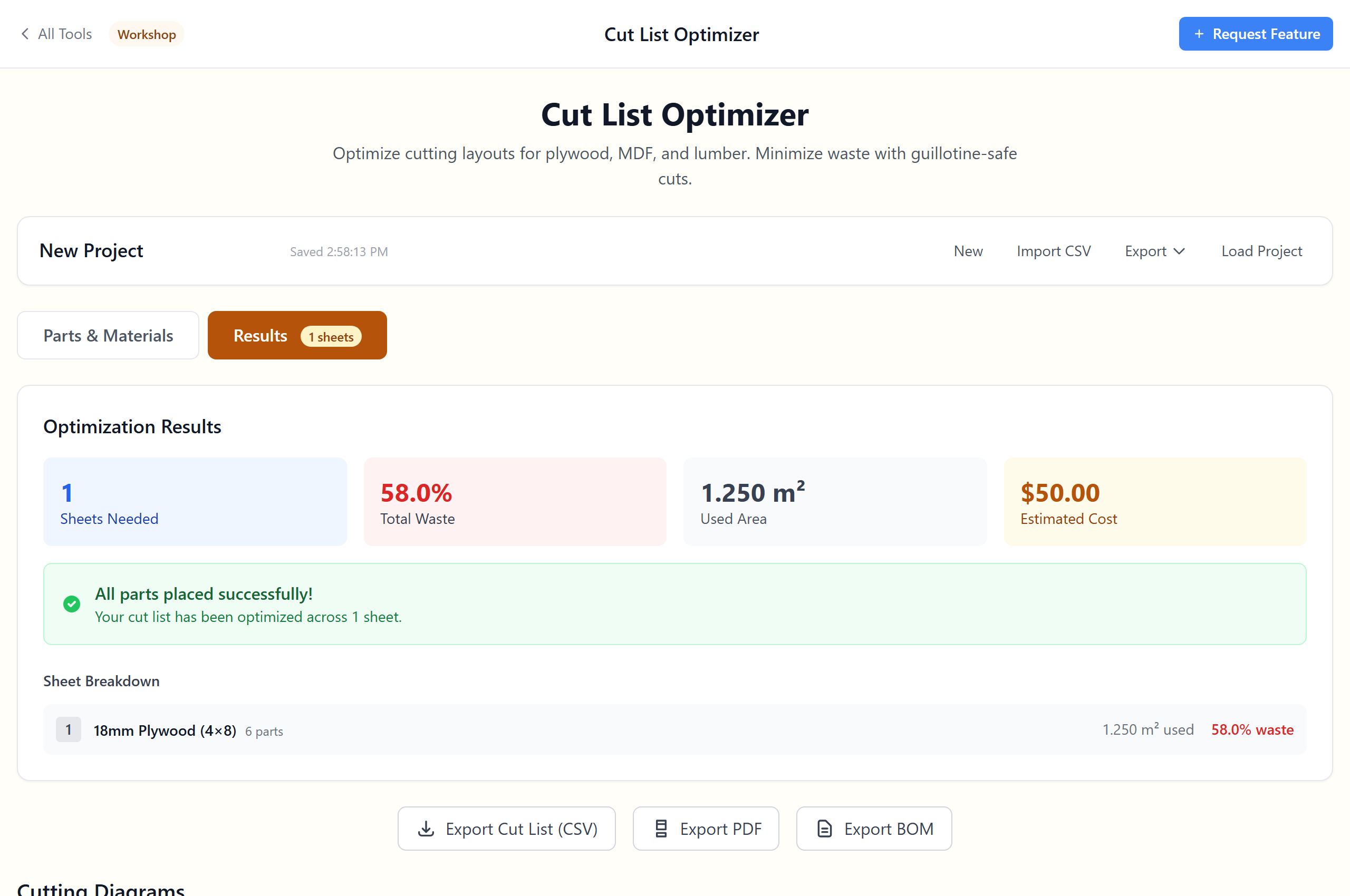
Plywood cut list calculator showing parts, sheet layout diagram and waste percentage

A Cut List Tool Built for Real Saws

πŸ“

Kerf & Trim Allowance

Set blade kerf (1/8β€³, 3 mm, whatever your saw cuts) and the optimiser reserves it between every part. Trim allowance trims the rough edge before parts are placed.

🌾

Grain Direction Enforced

Mark parts as horizontal or vertical grain β€” the optimiser refuses to rotate them against the sheet's grain. Essential for veneered plywood and visible faces.

🧩

Edge Banding Compensation

Enter finished sizes and the optimiser subtracts band thickness from the banded edges automatically. No more cabinets that come out 2 mm oversized.

πŸͺš

Guillotine-Safe Cuts

Layouts use edge-to-edge cuts you can actually do on a table saw or panel saw β€” not impossible inside-cuts that only a CNC could make.

🧰

Plywood, MDF, Lumber, CNC

Standard 4Γ—8, 5Γ—5, baltic birch and metric sheet presets included. Custom sheet sizes for CNC router beds and laser cutter sheets supported.

🧾

Shop-Ready Exports

CSV cut list for the shop, SVG diagram for the wall, printable PDF for the clipboard. Three optimisation priorities: minimise waste, cuts or sheets.

Built for the Way Wood Actually Cuts

Parts + Materials in One Workspace

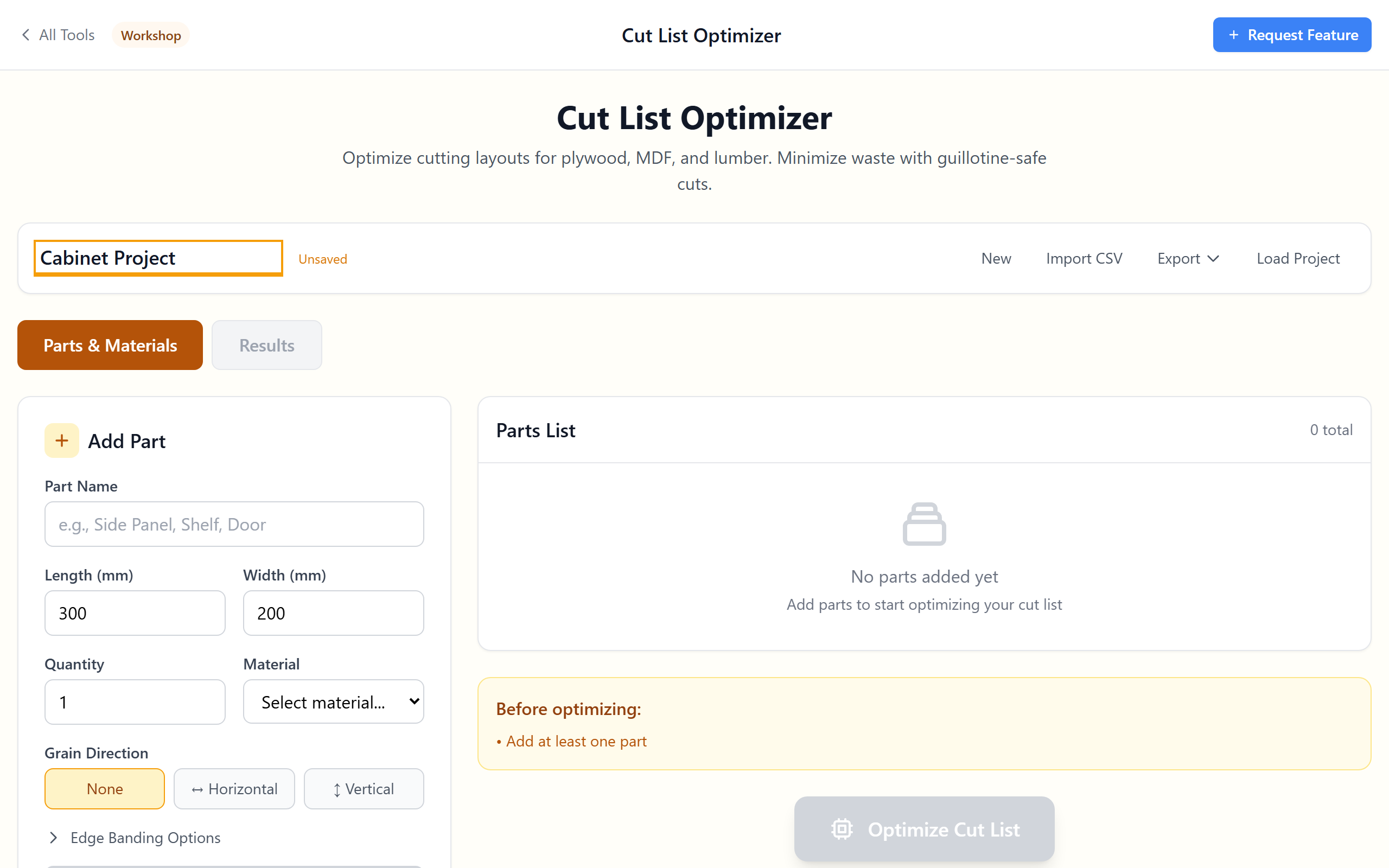
Add parts with quantity and grain direction. Pick from sheet presets (4Γ—8, 5Γ—5 baltic birch, 8Γ—4 metric, 1.2Γ—2.4 m) or define your own β€” including dimensional lumber and odd-shaped sheets for CNC router beds.

  • Parts table with edit, duplicate, delete
  • Standard sheet presets + custom sizes
  • Dimensional lumber + sheet goods in the same project
  • Per-material cost, kerf and trim allowance
  • Project autosave + JSON export for backup
Parts and materials workspace with sheet presets

Guillotine-Safe Optimisation (Kerf Included)

Layouts use edge-to-edge "guillotine" cuts β€” the kind a table saw or panel saw can actually make. Kerf is reserved between every adjacent part, so the placement diagram matches the cuts you will actually make in the shop. Pick the optimisation priority: minimise waste %, minimise number of cuts, or minimise sheet count.

  • Guillotine bin-packing algorithm
  • Kerf reserved between every cut
  • Trim allowance subtracted on every edge
  • Three priorities: waste / cuts / sheets
  • Cut-line overlay on the diagram
  • Unplaced parts flagged so nothing goes missing
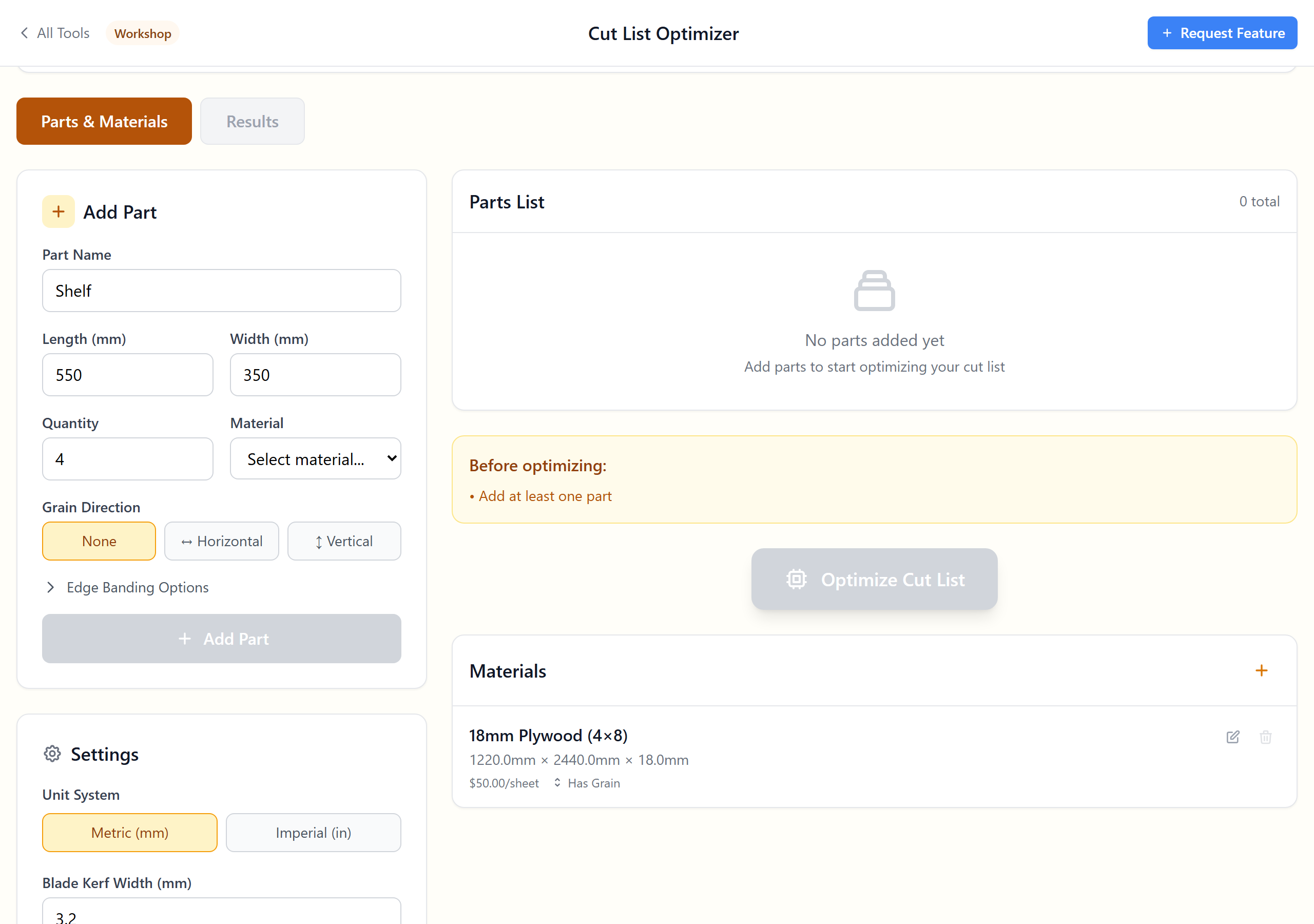
Sheet layout diagram with placed parts, cuts and waste areas highlighted

Exports for the Shop, the Office and the Customer

Take the cut plan with you. CSV cut list with part name, sheet number and X/Y positions for the shop. SVG diagrams per sheet for the wall or for a CAM workflow. Printable PDF with the parts table, sheet diagrams, kerf, grain and total cost β€” ready for the customer or the file cabinet.

  • CSV cut list (one row per placed part)
  • CSV parts list (one row per part type)
  • SVG diagram per sheet for laser cutters / CNC nesting
  • Printable PDF with all sheets + costs + waste %
  • BOM (bill of materials) text export
Export panel with CSV, SVG and PDF options

Plywood Cut List FAQ

A cut list is the recipe for turning a stack of plywood sheets (or lumber) into the parts your project needs. For a kitchen carcass: 14 cabinet sides, 8 shelves, 4 backs, plus all the toe-kicks and rails. A cut-list calculator does two things: (1) it makes sure your parts actually fit on the sheets you have, and (2) it arranges them to minimise waste β€” saving you anything from 5 % to 30 % of the plywood you would otherwise have to buy.
Three rules of thumb:

1. Group parts by sheet size first. Put all 4Γ—8 parts in one project, 5Γ—5 baltic-birch parts in another. Mixing sheet sizes wastes the optimiser's effort.
2. Set kerf correctly. A 1/8β€³ blade is 3.175 mm β€” every cut burns that much wood. On a 4Γ—8 sheet with 12 cuts, that's 1.5 inches of plywood gone before you start.
3. Pick "minimise waste" priority for one-offs and "minimise sheets" for production runs. The first packs tighter, the second uses fewer full sheets.
A guillotine cut is one that goes straight from one edge of the sheet to the other β€” the kind a table saw, panel saw or track saw can make in a single pass. A "non-guillotine" cut stops part-way across the sheet (an L-shaped cut or a slot). Real saws can't do those without setup-intensive plunge cuts or a CNC router. This optimiser sticks to guillotine layouts because they are the ones you can actually execute in a typical shop.
Yes β€” kerf is reserved between every adjacent part. Set the kerf to whatever your saw cuts: typical values are 1/8β€³ (3.175 mm) for a standard 10β€³ blade, 3/32β€³ (2.4 mm) for a thin-kerf blade, and 1 mm for a quality CNC router bit. For laser cutting, kerf is usually 0.1–0.3 mm depending on focus and power.
Enter the finished part size (the dimension you want after banding) and select which edges are banded. The optimiser subtracts the band thickness from each banded edge so the cut size leaves room for the band. Typical PVC banding is 0.5–1.0 mm; veneer edge banding is 0.5 mm. Get this wrong and your cabinets come out 1–2 mm oversized β€” which sounds small but will mess up alignment across a face frame.
Yes. Mark each part as having horizontal grain, vertical grain or "no grain" (MDF, particleboard). Mark each sheet as having grain "lengthwise" or "widthwise". When grain enforcement is on, the optimiser refuses to rotate a horizontal-grain part if doing so would put the grain crosswise on the sheet. Essential for veneered plywood, oak ply, and any project where the grain pattern matters visually.
Yes. Set kerf to your CNC router's tool diameter (typically 1/4β€³ / 6 mm for production, 1/8β€³ / 3 mm for detail work), pick "minimise waste" priority, and export the SVG diagram. The SVG can be imported into VCarve, Vectric, Fusion 360 or any CAM tool that accepts SVG. For inside-cuts that no table saw could make, the algorithm is still limited to guillotine layouts β€” you trade some optimisation for layouts that are easy to verify.
Yes β€” laser cutters love sheet nesting. Set kerf to 0.1–0.3 mm (depending on your laser and material), pick a custom sheet size to match your laser bed, and export per-sheet SVG. For acrylic, plywood and MDF up to 6 mm this works straight away. For thicker stock the kerf widens noticeably β€” measure a test cut.
OpenCutList is a SketchUp plugin (free, excellent if you already model in SketchUp). CutList Plus FX is a Windows desktop app (~$95 hobbyist, $325 pro). Maxcut is a Windows desktop tool (~$150 lifetime). This tool is a browser-based, no-install, no-signup alternative that handles 80 % of what those tools do: kerf-aware layouts, grain direction, edge banding, multiple sheet types, CSV / SVG / PDF export. It does not (yet) have: per-shop labour costing, multi-machine optimisation, real-time price feeds. For most hobbyists and small shops, the missing 20 % does not matter.
Yes. Add a "dimensional" material with its full length (8 ft, 10 ft, 12 ft), then add your parts as you would for sheet goods. The 2D optimiser treats each board as a long, thin "sheet" and the result is a 1D cut list β€” useful for framing, deck boards, hardwood flooring offcuts and trim. For pure 1D linear optimisation (lumber only), some shops prefer a dedicated linear optimiser; this tool is general-purpose enough to handle mixed projects without switching.
Anything. Built-in presets include:
β€’ 4Γ—8 ft (1,219 Γ— 2,438 mm) β€” North American plywood, MDF, particleboard standard
β€’ 5Γ—5 ft (1,524 Γ— 1,524 mm) β€” Baltic birch standard
β€’ 4Γ—10 ft (1,219 Γ— 3,048 mm) β€” extended length plywood
β€’ 2,500 Γ— 1,250 mm β€” European / UK standard
β€’ 2,440 Γ— 1,220 mm β€” European metric 4Γ—8
Plus custom sizes for CNC router beds, laser cutter beds and odd-shaped offcuts.
CSV works as input for most spreadsheet-based cut workflows. SVG per sheet is universal β€” opens in Inkscape, Illustrator, Fusion 360, VCarve, LightBurn. PDF is for printing or sharing with a fabricator. There is no specific export for CutList Plus or Maxcut, but the CSV is easy to re-import into either if you prefer them for the final pass.
No. Everything runs in your browser. Projects autosave to browser local storage only. Export to JSON if you want to back up a project or move it between computers. The tool works offline once loaded.
Yes. No signup, no account, no monthly fee, no usage cap, no watermark on exports. Puida Oy builds free professional tools for woodworkers, makers and small shops. Questions or feature requests: hello@puida.com.

Stop Wasting Plywood

Free in-browser cut list calculator. Kerf, grain, edge banding handled. Export PDF. No signup.

Open the Calculator